
Preventing Out-of-Stock and Dead Inventory Traps with Automated Inter-Branch Transfers
Eliminate stockouts and dead capital. Discover how OkayMentor's multi-branch inventory engine automates inter-branch transfers, FIFO valuation, and real-time stock reservations across retail chains.
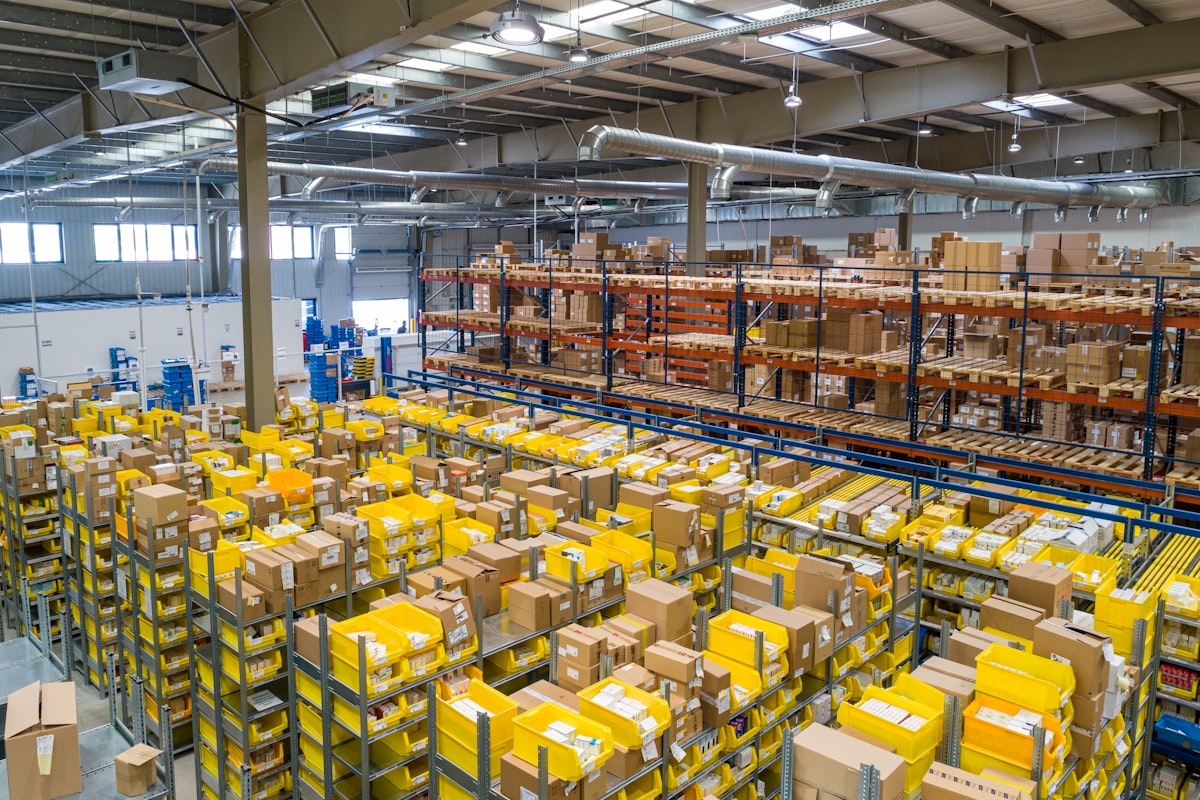
For multi-store retail brands, fashion chains, consumer electronics franchises, and grocery marts, inventory represents both the largest asset on the balance sheet and the most dangerous operational liability.
When inventory management is fragmented across disconnected spreadsheets or basic single-store point-of-sale systems, retail operations fall into two catastrophic traps:
- The Out-of-Stock Trap: High-demand products sell out at Branch A, forcing store managers to turn away eager paying customers while losing sales to local competitors.
- The Dead Inventory Trap: Meanwhile, the exact same product sits untouched on dusty shelves at Branch B or gets buried in a regional warehouse, tying up hundreds of thousands of dollars in stagnant working capital until it must be liquidated at steep discounts.
At OkayMentor, our enterprise software engineering division architects the multi-store supply chain backbone powering Okay POS Cloud and custom Web-Based Enterprise ERPs. In this playbook, we explore how automated inter-branch inventory transfers, dynamic stock reservations, and predictive reorder intelligence eliminate stockouts while maximizing capital velocity.
Why Traditional Multi-Branch Inventory Systems Fail
Most retail inventory platforms fail to maintain accurate multi-branch visibility because they rely on asynchronous manual batch reconciliation:
- Branch managers must phone or text the central warehouse to ask if stock is available.
- Stock transfers are recorded on paper gate passes or informal spreadsheets that take days to enter into the main system.
- In-transit inventory enters a "black hole"—it has left the dispatching warehouse but is not yet recorded at the receiving retail counter. If units are damaged or stolen in transit, accountability vanishes.
"In modern multi-branch retail, stock data that is 2 hours old is already obsolete. Real-time inventory synchronization is not a luxury; it is the fundamental prerequisite of retail profitability." — Ahmed Mujtaba, Principal Solutions Architect at OkayMentor
The 5 Pillars of OkayMentor's Multi-Branch Supply Chain Engine
Our inventory architecture is engineered to give retail executives complete, millisecond-accurate control across all physical nodes:
1. Real-Time Inter-Branch Stock Transfers with Gate Pass Workflows Okay POS introduces a 3-step cryptographically verified transfer workflow: - **Step 1: Transfer Request / Dispatch:** Branch A requests 50 units from Branch B or Central Warehouse. The dispatcher approves the shipment, generating a serialized digital Gate Pass with dispatch barcode. - **Step 2: In-Transit Stock Isolation:** The 50 units are automatically transferred to a dedicated "In-Transit Inventory Ledger", preventing Branch B from accidentally double-selling them while preventing Branch A from displaying them as available on shelves. - **Step 3: Barcode Scan Verification at Receiving Dock:** When the delivery arrives at Branch A, the receiving stock keeper scans the Gate Pass barcode and verifies physical quantities. Any discrepancy (shortage, breakage) is flagged automatically, updating the ledger instantly.
2. Dynamic Omnichannel Stock Reservation If your retail brand sells simultaneously across brick-and-mortar stores, an e-commerce website, and mobile apps: - When an online customer places an order on your Next.js web application, Okay POS dynamically reserves the item from the geographically closest retail branch. - Counter cashiers cannot sell that reserved item to a walk-in shopper, eliminating awkward backorders and embarrassing stock cancellations.
3. FIFO & Weighted Average Costing (WAC) Inflation and fluctuating supplier prices mean that goods purchased in March carry different cost bases than goods purchased in June. Okay POS tracks inventory using strict **FIFO (First-In, First-Out)** and **Weighted Average Costing** algorithms, giving enterprise accountants true gross profit figures rather than rough estimates.
4. Predictive Reorder Points & Low-Stock Alerts Rather than relying on human memory, Okay POS calculates dynamic reorder thresholds based on historical sales velocity and supplier lead times: - If a retail store sells an average of 14 units of olive oil per day and supplier delivery requires 4 business days, Okay POS automatically flags a reorder warning when store stock hits 56 units. - Store managers receive automated daily WhatsApp or email digests summarizing which SKUs require immediate warehouse requisition.
5. Multi-Location Lot & Expiry Tracking For pharmaceutical chains, cosmetic brands, and grocery supermarkets, selling expired products leads to legal liability and customer loss: - Okay POS tracks batch numbers and expiration dates at the item level. - The POS cashier interface automatically alerts staff to sell older batches first (FEFO: First-Expired, First-Out). - Proactive reports alert warehouse managers 30, 60, and 90 days before product batches reach expiration.
Real-World Impact: Rescuing Working Capital for a 14-Store Retailer
A multi-city fashion and apparel chain operating 14 branches across the UAE and Pakistan suffered from severe inventory misallocation. Flagship mall outlets were frequently out of popular denim sizes on weekends, while secondary suburban stores held surplus stock that took 5 months to liquidate.
OkayMentor's Architectural Intervention: 1. Implemented **Okay POS Cloud** across all 14 counters and central distribution warehouse. 2. Activated automated inter-branch stock rebalancing, routing slow-moving suburban sizes to high-velocity mall outlets. 3. Connected branch cashiers to real-time stock lookup—if a customer did not find their size in-store, the cashier initiated an instant inter-branch transfer or home delivery directly from the POS screen.
Results: - Out-of-stock customer walkouts dropped by **71%**. - Stagnant dead inventory fell by **48%**, freeing up **$310,000** in liquid cash flow. - Overall retail franchise revenue grew by **23%** in the first fiscal quarter post-deployment.
Review our verified Case Studies & Production Deployments to explore more enterprise operational benchmarks.
Frequently Asked Questions (FAQs)
Can store cashiers check stock availability at other branches from their POS screen? Yes. With Okay POS, cashiers can search any product SKU or barcode to see real-time shelf stock, warehouse stock, and in-transit quantities across all company locations in under 100 milliseconds.
Does Okay POS require high-speed internet to manage local store inventory? No. Local store sales and stock adjustments are committed locally to SQLite. When internet connection is active, changes sync across the central cloud cluster automatically using lightweight delta payloads.
Can we integrate Okay POS inventory with our custom e-commerce web app? Yes. OkayMentor provides full-featured REST and GraphQL APIs, allowing your Shopify, WooCommerce, or custom Next.js e-commerce platform to synchronize live stock availability with your physical stores.
Optimize Your Retail Supply Chain with OkayMentor
Eliminate stockout losses, protect your working capital, and give your store managers complete inventory control. Partner with OkayMentor to deploy the high-speed supply chain engines powering Okay POS.
Contact Ahmed Mujtaba & Our Inventory Architecture Team today to schedule a technical walkthrough.

Ahmed Mujtaba
Principal Solutions Architect & Founder at OkayMentor. Specializes in sub-45ms Node.js architectures, Okay POS offline billing, and enterprise cross-platform mobile systems for global agencies.
Recommended Related Playbooks
View all Architecture & Engineering
Why Fast-Growing US & UK Agencies Are Replacing WordPress with Sub-45ms Node.js Architecture
 Agency Scaling
The Agency Playbook: Hiring Dedicated Node.js & React Squads Under Strict Bilateral NDAs
 Turnkey Software